A clearer view of your next purchase. Canada edition
Buyer Edition Search

What to Look for Before Buying a 3D Printer

Market
Canada
Summary
A project-first checklist for size, materials, workspace and the costs beyond the machine.
Category
Article

Research-based buying advice. Manufacturer sources checked 2026-09-26. This is not a hands-on review. Recommendations are our interpretation of the documented features and the use cases discussed below.

Write down the first five projects

A useful buying brief names the things you want to make. Record their approximate size, whether they need strength or heat resistance, and how often you expect to print. This is more informative than choosing the most impressive maximum speed.

Separate build space from desk space

The advertised working volume describes the printable envelope, not the total installation. Allow for moving parts, filament systems, access and maintenance. Check mode-specific dimensions on multi-nozzle machines. An oversized printer can be a poor home fit even when the intended object technically fits.

Match materials to a supported workflow

Read the manufacturer’s material guidance for the actual model. Do not assume a high nozzle temperature proves suitability for every filament. Drying, ventilation, surfaces and the operating environment may matter. Plan an appropriate location away from casual contact with hot and moving parts.

Estimate a finished job

Use a representative design to explore supports, material changes, waste and finishing. Decide which steps you are willing to learn. Automated features can reduce some tasks without removing setup, cleaning and troubleshooting from ownership.

Compare ownership in Canada

Check replacement-part availability, the warranty contact, return freight and the total checkout currency. Add filament, basic tools and replacement wear items to the purchase plan. For a starting shortlist, compare the A1, K2 Plus Combo and H2D by the specific workflow they offer, rather than treating them as equal-sized alternatives.

Sources and further reading

Explore the products

Creality K2 Plus vs Bambu H2D

Market
Canada
Summary
Compare the project you want to complete, not just the largest build-volume number.
Category
Introduction

Compare the project you want to complete, not just the largest build-volume number.

Research-based buying advice. Manufacturer sources checked 2026-09-26. This is not a hands-on review. Recommendations are our interpretation of the documented features and the use cases discussed below.

Comparison discussion

The decision in one sentence

Shortlist the K2 Plus Combo for its large single-nozzle working area and CFS workflow; shortlist the H2D when two nozzles have a defined role in your projects. This is a specification-led comparison, not a claim that either printer is faster or more reliable in real use.

Build volume needs a like-for-like comparison

The K2 Plus has a nominal 350 × 350 × 350 mm area. H2D specifications separate single-nozzle and dual-nozzle working areas from combined nozzle reach. Use the area for the mode you intend to print in. A model that fits the largest marketing figure may not fit the actual mode you need.

Compare a complete job

Take a representative design through the intended slicing workflow. Review supports, material changes, purge material and the total process, including setup and cleanup. A two-nozzle arrangement and a filament-switching arrangement solve different parts of the task; neither establishes a universal winner.

What to price at checkout

Compare equivalent printer and filament-system packages. Check spare parts, warranty handling and large-item return arrangements for Canada. Treat laser accessories as a separate purchase with separate safety and installation requirements. We deliberately show retailer links without quoting unverified live prices.

Who should choose which?

Choose by the constraint that would otherwise stop your project: working dimensions, material workflow or available space. If you cannot identify that constraint, compare a simpler home printer before committing to either large machine.

Sources and further reading

Explore the products

Products (2–6)
Creality K2 Plus Combo
Bambu Lab H2D
Key differences
Single-nozzle/CFS workflow versus a two-nozzle system
Compare usable volume in the intended H2D printing mode
Match bundle contents before comparing checkout totals

Best 3D Printers for Home Use in Canada

Market
Canada
Summary
Three different starting points: everyday home projects, larger enclosed prints and a two-nozzle workflow.
Category
Introduction

Three different starting points: everyday home projects, larger enclosed prints and a two-nozzle workflow.

Research-based buying advice. Manufacturer sources checked 2026-09-26. This is not a hands-on review. Recommendations are our interpretation of the documented features and the use cases discussed below.

How we selected products

Selections reflect the use cases explained in this guide, documented specifications, compatibility and purchasing considerations for Canada. This is a limited research shortlist, not an exhaustive market survey or a hands-on ranking. Prices, customer-review scores and affiliate commissions did not determine these selections.

Buying advice

What “best” means here

This is a focused shortlist for different home-use needs, not a ranking of every printer sold in Canada. We prioritise project fit, workspace, material requirements and purchasing support. We have not run these machines through a common print-quality or reliability test.

For everyday home projects

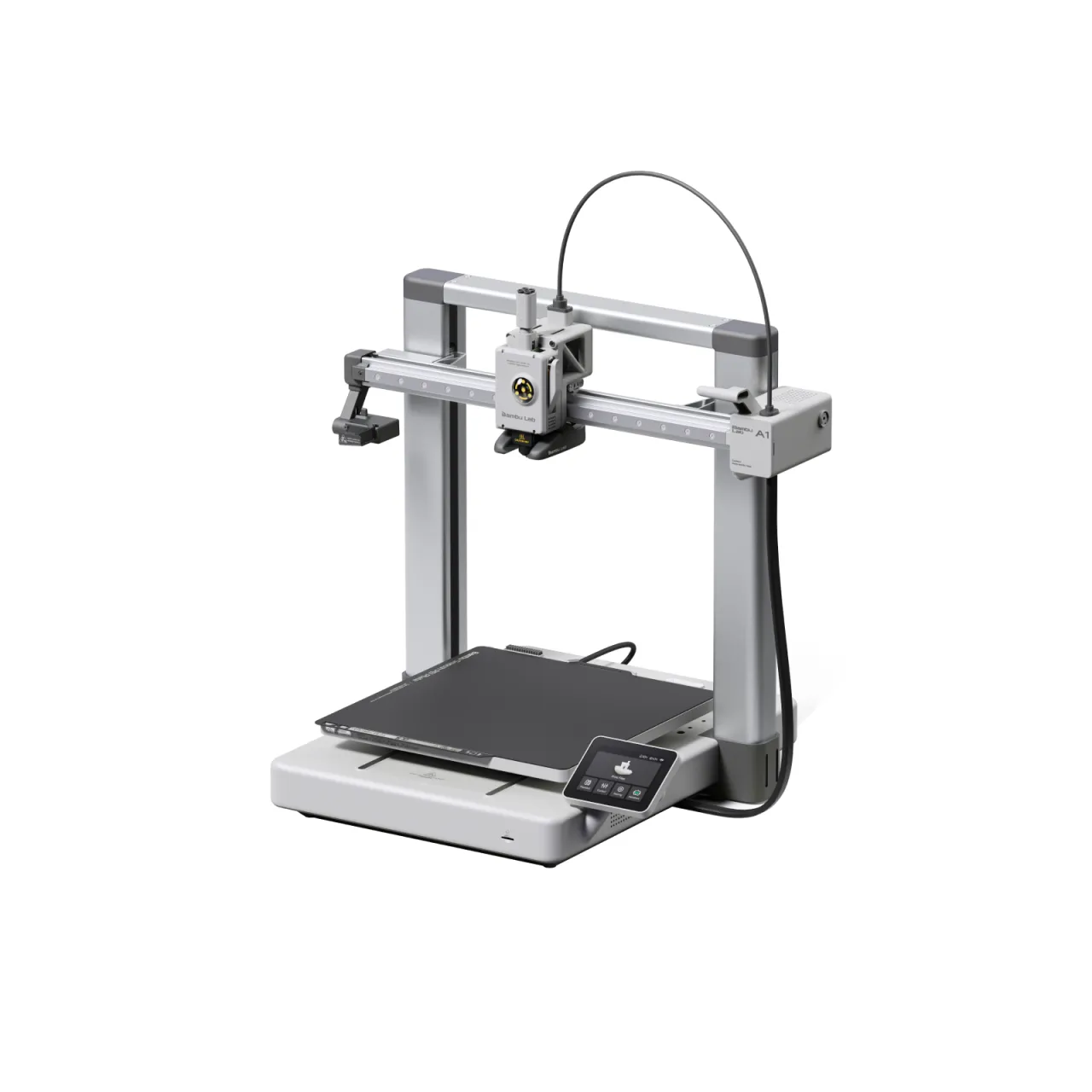
Start with the Bambu Lab A1 if your planned parts fit its working area and its recommended materials suit you. It gives this shortlist an open-frame alternative to two much larger enclosed machines. Do not pay for extra volume simply because it appears impressive on a comparison sheet.

For larger or more specialised projects

Consider the Creality K2 Plus Combo when size and colour switching are central to your work. Consider the H2D when a two-nozzle process has a clear purpose. Compare a representative model in the relevant slicer: print orientation, supports, material changes and waste all affect the useful result.

Buying in Canada

Check the seller’s location, final CAD checkout total, return shipping arrangements and who handles warranty service. Set aside space and budget for filament, spares and maintenance. Read the manual’s ventilation and material guidance; an enclosure alone does not answer every home-air-quality question.

Our suggested decision

Sketch your first five projects before choosing a machine. If none needs the larger workspace or more complex workflow, start with the simpler shortlist option. If one does, confirm its dimensions in the exact printing mode and buy for that requirement rather than an advertised maximum speed.

Sources and further reading

Explore the products

Guide picks
Product
Bambu Lab A1
Badge
Everyday home projects
Short reason
Consider first when ordinary PLA/PETG projects fit the working area.
Editorial summary
Consider first when ordinary PLA/PETG projects fit the working area.
Product
Creality K2 Plus Combo
Badge
Larger enclosed projects
Short reason
Consider when the intended parts justify the workspace commitment.
Editorial summary
Consider when the intended parts justify the workspace commitment.
Product
Bambu Lab H2D
Badge
Two-nozzle workflow
Short reason
Consider when two nozzles solve a recurring project requirement.
Editorial summary
Consider when two nozzles solve a recurring project requirement.

Bambu Lab A1

Market
Canada
Summary
An open-frame alternative for everyday home projects when an enclosed large-format printer would be unnecessary.
Category
Editorial introduction

An open-frame alternative for everyday home projects when an enclosed large-format printer would be unnecessary.

Research-based buying advice. Manufacturer sources checked 2026-09-26. This is not a hands-on review. Recommendations are our interpretation of the documented features and the use cases discussed below.

Review

Start with the projects, not the upgrade list

The A1 belongs on a home-use shortlist for organisers, small fixtures and learning projects that fit its working area. Price the standard printer and Combo separately, and only add the colour system if it serves something you expect to make.

Place it where it can work

An open-frame machine needs a suitable dedicated location. Account for moving parts, access, noise and ventilation. Do not assume that adding an improvised enclosure changes the manufacturer’s recommended material range or operating requirements.

The boundary of this recommendation

Bambu identifies PLA and PETG among the suitable materials and does not recommend several enclosure-oriented engineering materials for this model. If those are central to your plans, research an appropriate enclosed machine instead. We have not measured reliability, emissions or print quality; compare a representative sliced project and the support available to you.

Sources and further reading

Testing notes

No hands-on test has been performed for this product profile. No review score or measured performance result is assigned.

Product
Bambu Lab A1
Pros
Smaller nominal build area than the large enclosed options
Separate standard and colour-system bundles
Cons
Open construction needs appropriate placement
Not a substitute for an engineering-material enclosure
Best for
Everyday PLA and PETG home projects

Bambu Lab H2D

Market
Canada
Summary
A dual-nozzle printer for buyers who can identify a practical need for a more complex fabrication workflow.
Category
Editorial introduction

A dual-nozzle printer for buyers who can identify a practical need for a more complex fabrication workflow.

Research-based buying advice. Manufacturer sources checked 2026-09-26. This is not a hands-on review. Recommendations are our interpretation of the documented features and the use cases discussed below.

Review

A workflow decision first

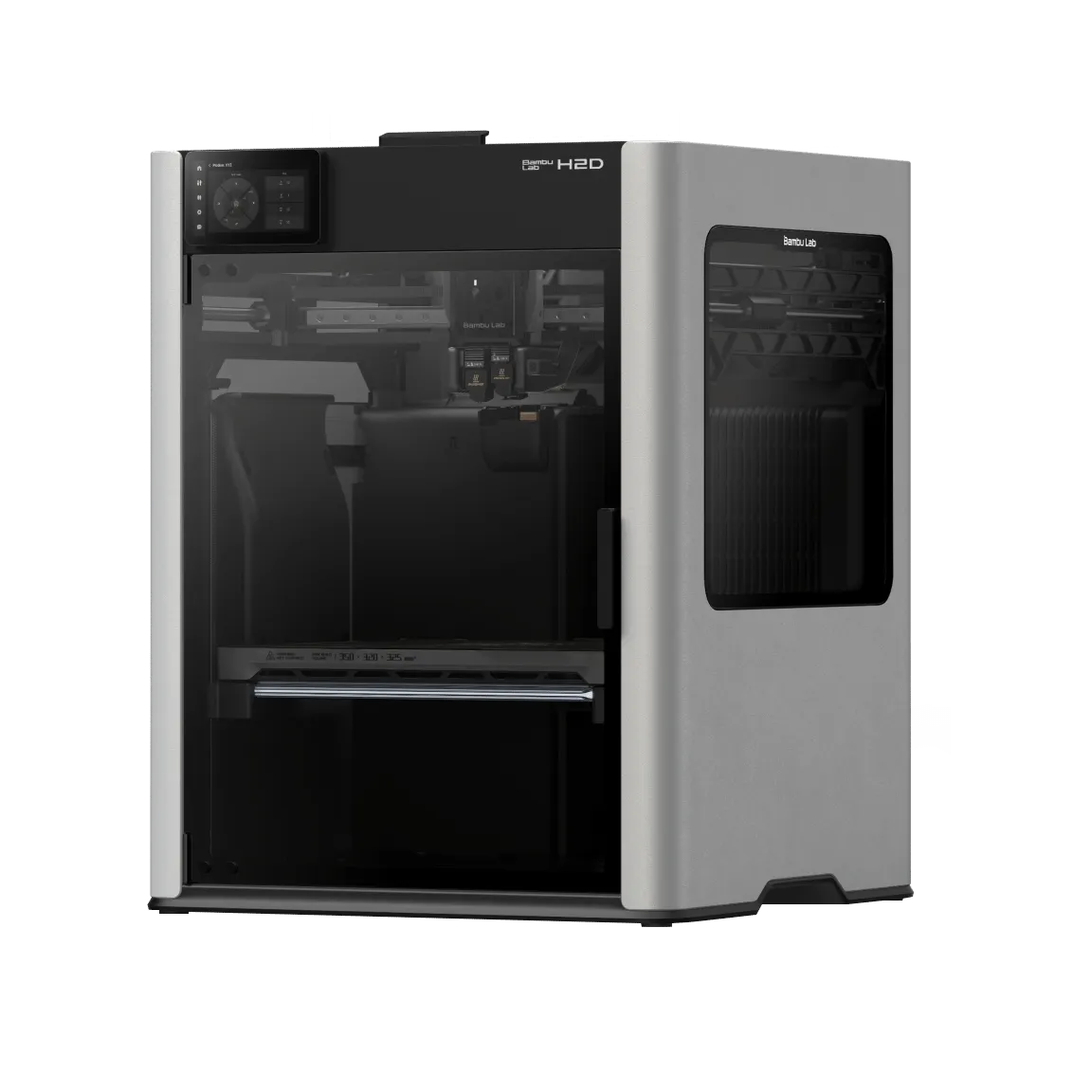
Put the H2D on your shortlist when a two-nozzle workflow solves a recurring problem in your projects. If you mainly print one material in one colour, decide whether that extra capability will justify the additional equipment and learning time.

Read the usable-volume figures carefully

The manufacturer distinguishes single-nozzle, dual-nozzle and combined reach. Compare the usable dimensions for the mode you intend to run, rather than treating the largest advertised envelope as one unrestricted print space.

Compare equivalent bundles

List the printer, filament system and accessories included in each quote. A laser-equipped package is a different purchasing decision with its own installation and safety requirements; do not assume those features are included in a base printer. Before purchase, check the Canadian store configuration and support arrangements.

Sources and further reading

Testing notes

No hands-on test has been performed for this product profile. No review score or measured performance result is assigned.

Product
Bambu Lab H2D
Pros
Two-nozzle workflow
Enclosed workspace
Cons
Usable volume depends on printing mode
Bundles require careful comparison
Best for
Projects that benefit from two nozzles

Creality K2 Plus Combo

Market
Canada
Summary
A large enclosed printer to consider when project size and multi-colour workflow matter more than a compact footprint.
Category
Editorial introduction

A large enclosed printer to consider when project size and multi-colour workflow matter more than a compact footprint.

Research-based buying advice. Manufacturer sources checked 2026-09-26. This is not a hands-on review. Recommendations are our interpretation of the documented features and the use cases discussed below.

Review

Who should shortlist it

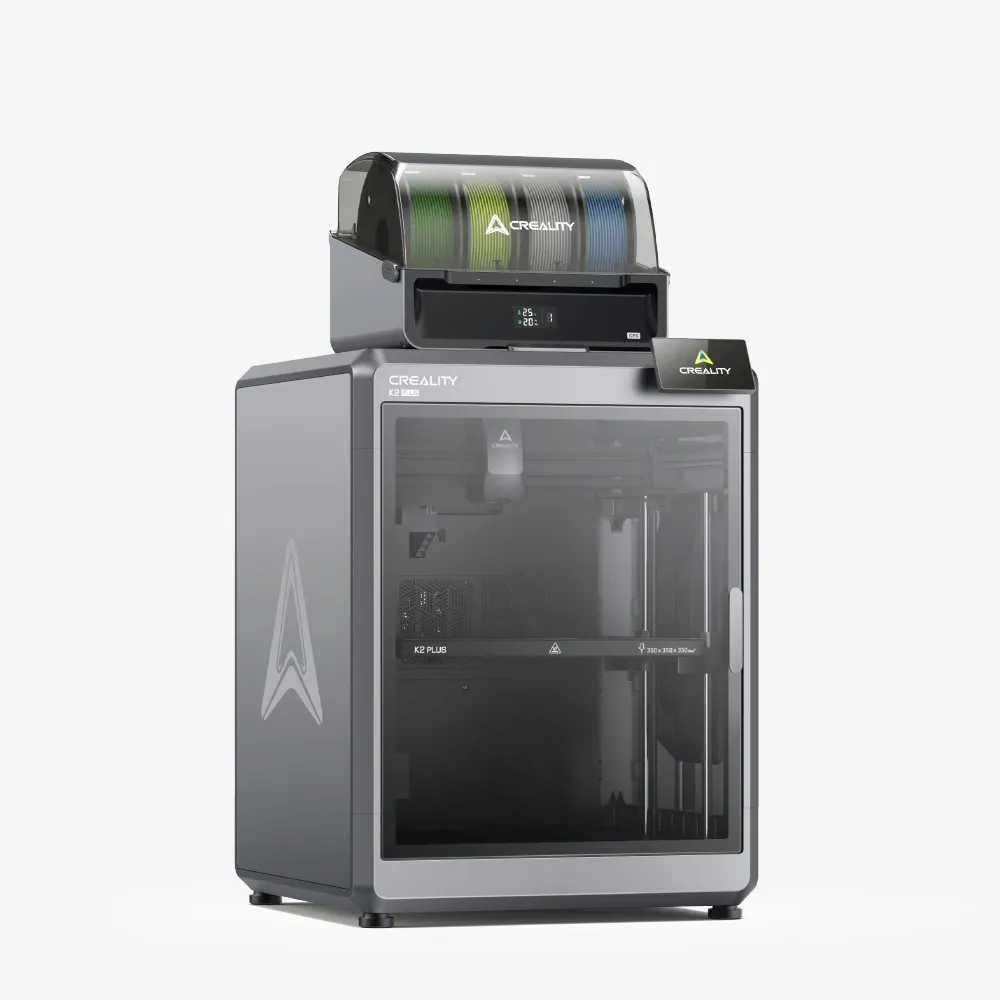
Start with the largest object you actually expect to print. The K2 Plus Combo is worth researching if splitting that object into smaller pieces would undermine the project. A smaller printer can be a better home purchase when most jobs are brackets, organisers and small replacement parts.

Plan the whole workspace

Measure the bench, door clearance and space needed for the filament system before ordering. Leave room for maintenance and print removal. Decide where filament, tools and rejected prints will live; the printer itself is only part of the workspace.

What to compare before buying

Ask the seller exactly what the Combo contains. Evaluate colour switching by total material used and completed-job time, rather than a headline motion speed. Check spare-part access, the Canadian warranty route and the return process for a large machine. Manufacturer capabilities are not evidence of trouble-free results with every material.

Sources and further reading

Testing notes

No hands-on test has been performed for this product profile. No review score or measured performance result is assigned.

Product
Creality K2 Plus Combo
Pros
Large nominal build area
Combo includes the CFS workflow
Cons
Substantial workspace commitment
Colour changes add process complexity
Best for
Large home workshop projects